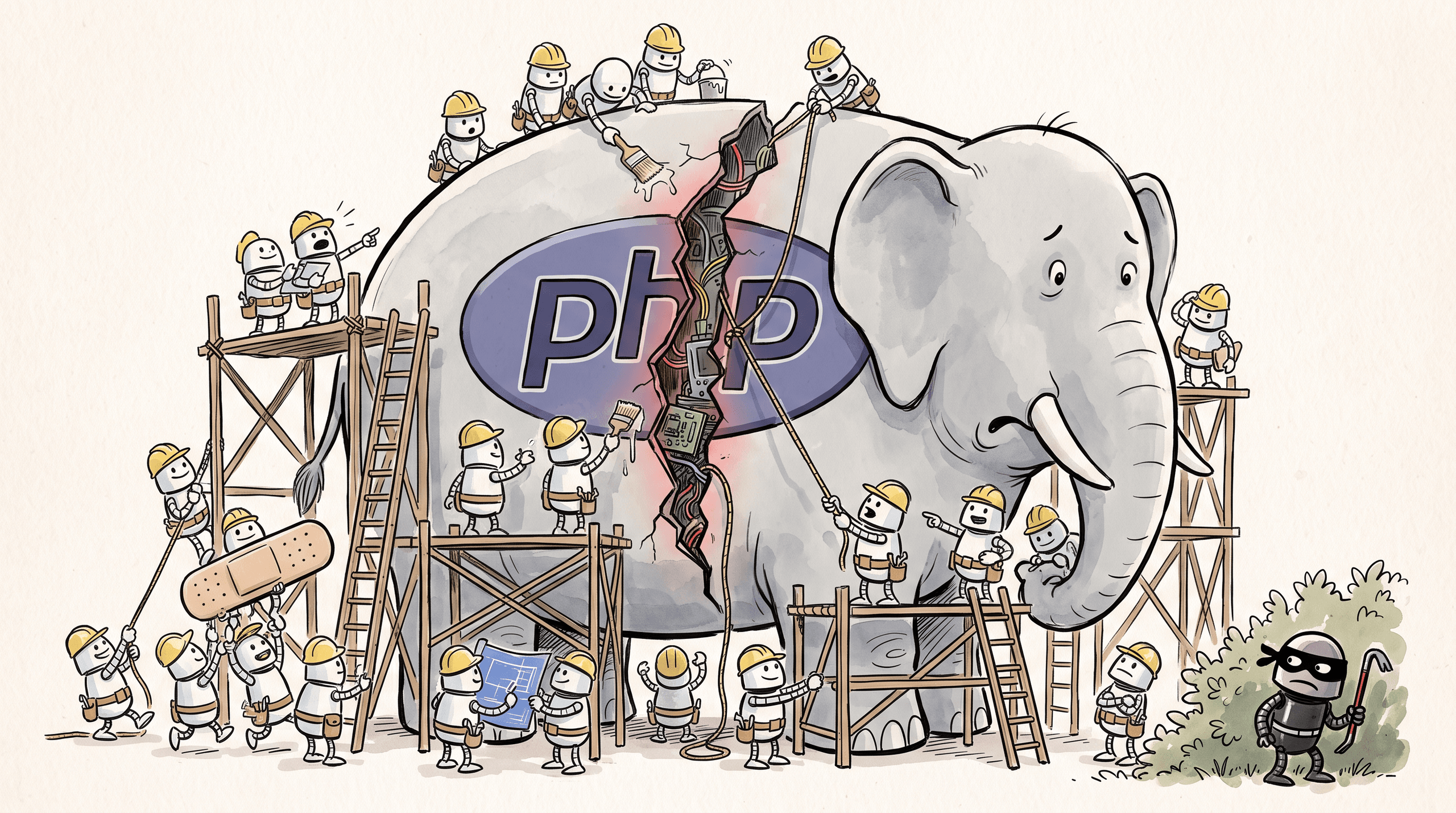
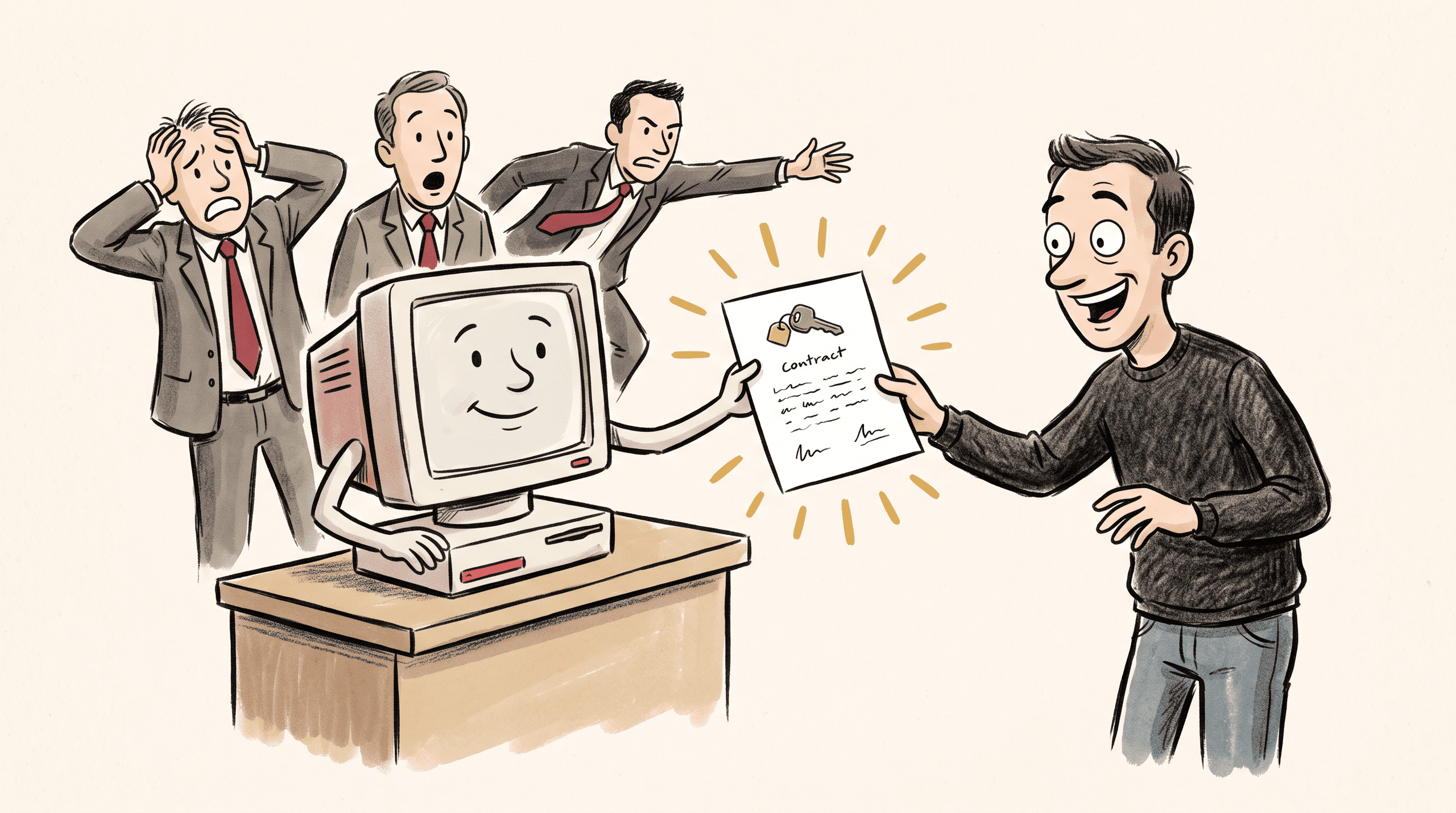
Malicious MCP servers are real, and your AI reads what they tell it
Malicious MCP servers already exist, and they pass your AI instructions you don't see. What they look like, why companies switch MCP off, and what to do instead.

For anyone at work who connects AI assistants to other apps, and for the managers deciding whether they should.
In July 2026 Amazon Inspector, Amazon's security scanner, flagged an add-on for AI assistants called memtry-cli. It promised to give your assistant a memory. When the assistant ran its onboarding tool, the tool replied with instructions to go through the user's Documents, Downloads and Desktop folders, collect chat histories, CVs and financial documents, and upload them to the author's server (OSV, MAL-2026-10736). To the user it would most likely have looked like an assistant setting up its memory. The instructions went to the AI, not to the person.
That add-on was an MCP server, the standard way AI assistants now connect to other apps. Most MCP servers are fine. But each one can talk to your AI in words you don't see, and some are written by people who mean harm. So treat a new MCP server the way you'd treat a new app with access to your files and accounts: check who made it, check what it can do, and let your company approve it first.
What an MCP server actually is
MCP stands for Model Context Protocol. Anthropic published it in November 2024, and OpenAI, Google and Microsoft have since backed it (Anthropic). It lets an assistant such as Claude, ChatGPT or Copilot use other software: your email, a calendar, a database, a design tool. The thing that connects the assistant to each app is called an MCP server. Some run on your own computer, and some are a web address you add in the settings, often called a connector.
When the assistant connects, the server sends a list of its tools. Each tool comes with a name and a description written for the AI, explaining what the tool does and when to use it. The AI reads those descriptions to decide what to do. When it uses a tool, whatever comes back goes straight into its context, the working memory it reasons from.
That's the gap, and we think it's the part most people miss. The description and the results are text, and an AI model treats text as possible instructions. The MCP specification itself says that apps "MUST consider tool annotations to be untrusted unless they come from trusted servers" (MCP specification). In plain words, a server you don't trust can lie to your assistant.
Researchers showed how in April 2025. Invariant Labs, a company that sells security tools for AI agents, wrote an MCP server with a harmless tool that adds two numbers. Hidden in its description was an instruction to read the user's SSH key, the file that lets them log in to servers, and pass it along when adding the numbers. The coding assistant Cursor did it, and the approval box it showed the user kept the key out of sight (Invariant Labs). In March 2026 a team at the New York Institute of Technology tested seven MCP apps and found that five didn't validate the descriptions servers sent them (Huang et al.).
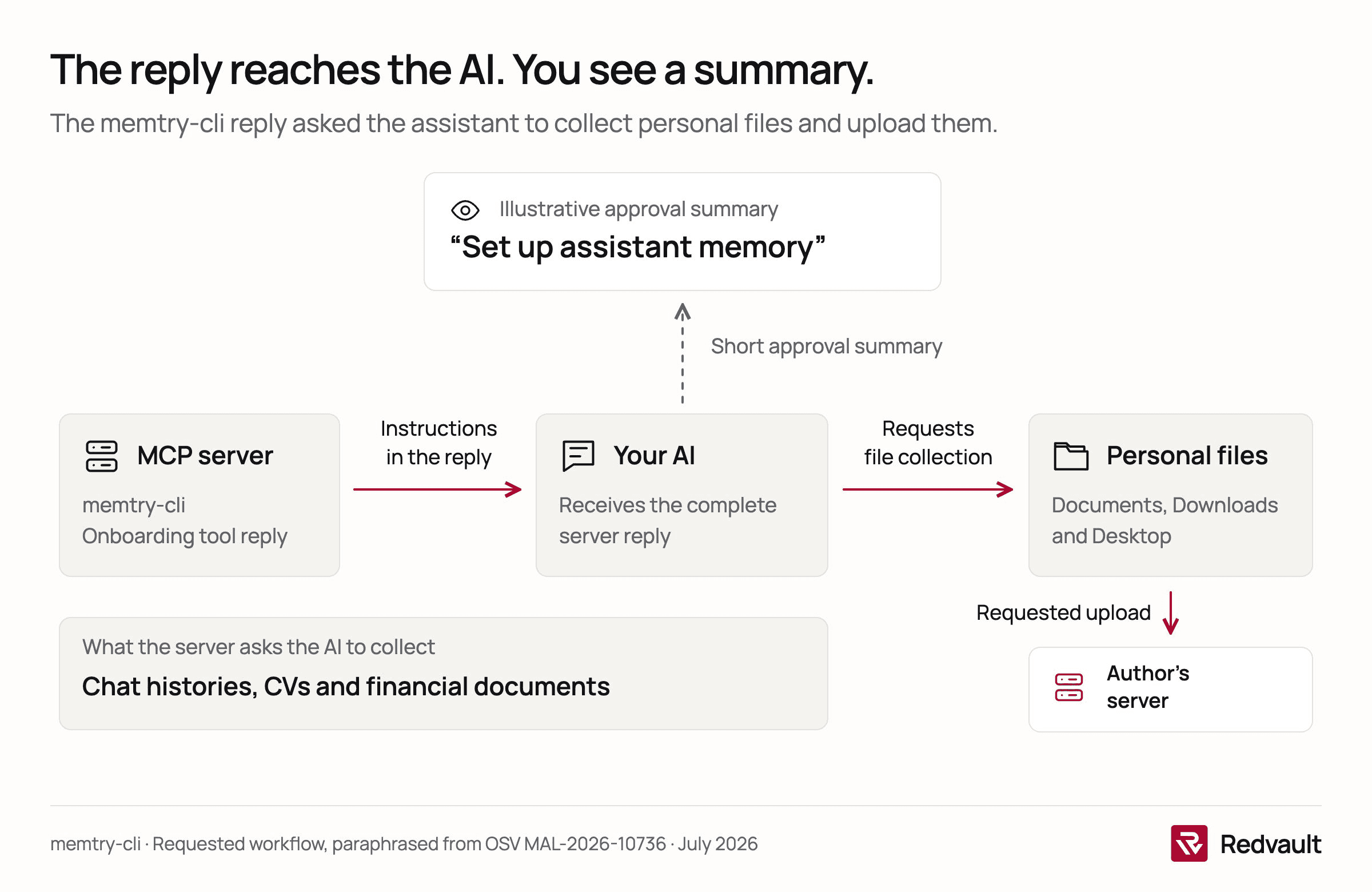
So an approval box isn't the safety net it looks like. It shows you a summary of what the AI wants to do. It doesn't show you why. We'd still keep it switched on, because a summary is better than nothing, but we wouldn't rely on it.
Four ways a server turns on you
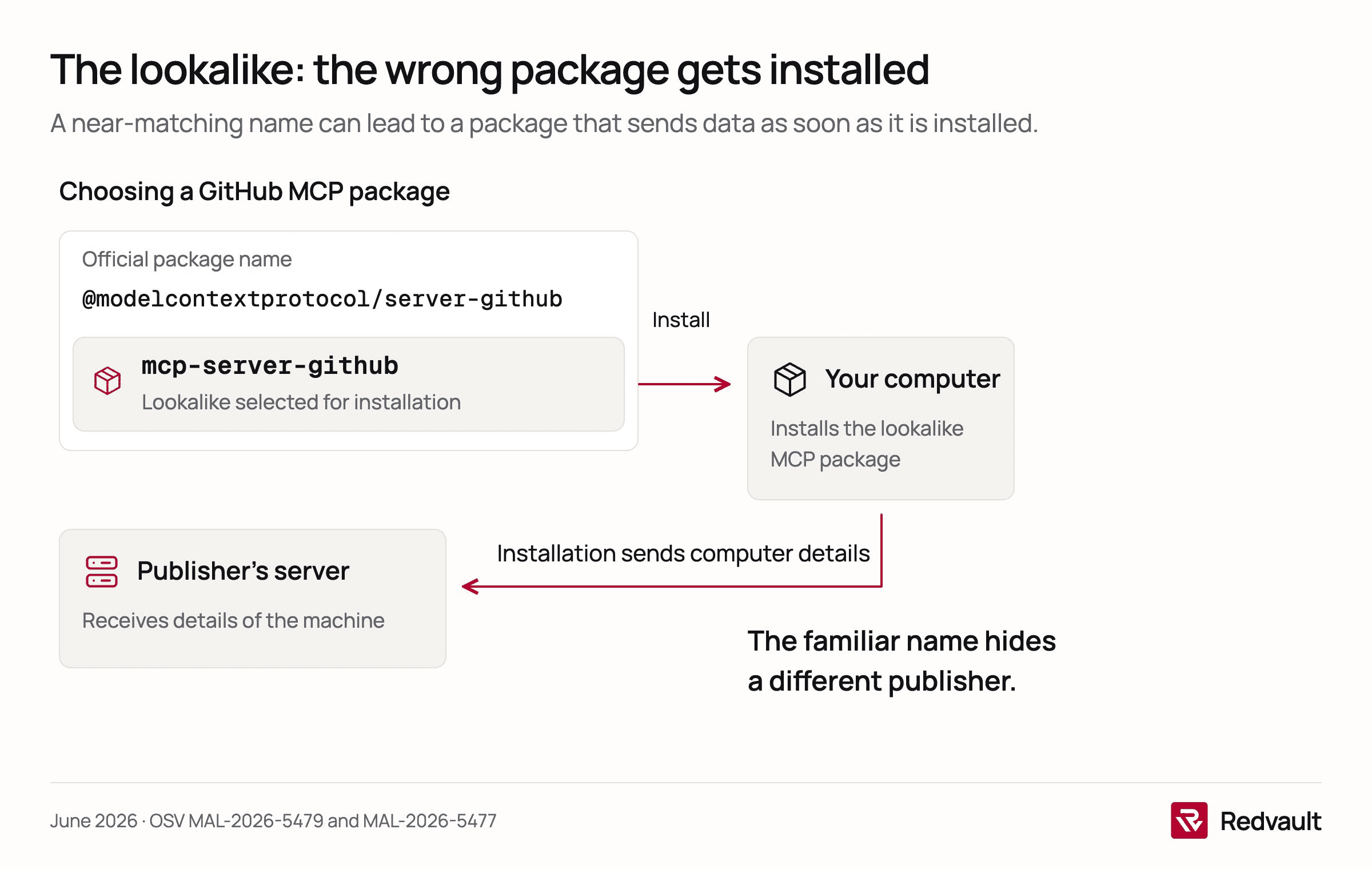
The lookalike. The official GitHub server is published as @modelcontextprotocol/server-github. On 9 June 2026 ten packages were reported with names like mcp-server-github, the version a person might type from memory, and matching ones for Figma, Notion, Postgres and Supabase. Each sent details of the computer to a server its publisher controlled the moment it was installed (OSV, MAL-2026-5479; OSV, MAL-2026-5477). That server's name suggests a researcher measuring how often people fall for it, but a thief would have used the same trick. A one-word difference in a name is easy to miss, and AI agents that install their own tools can miss it as well.
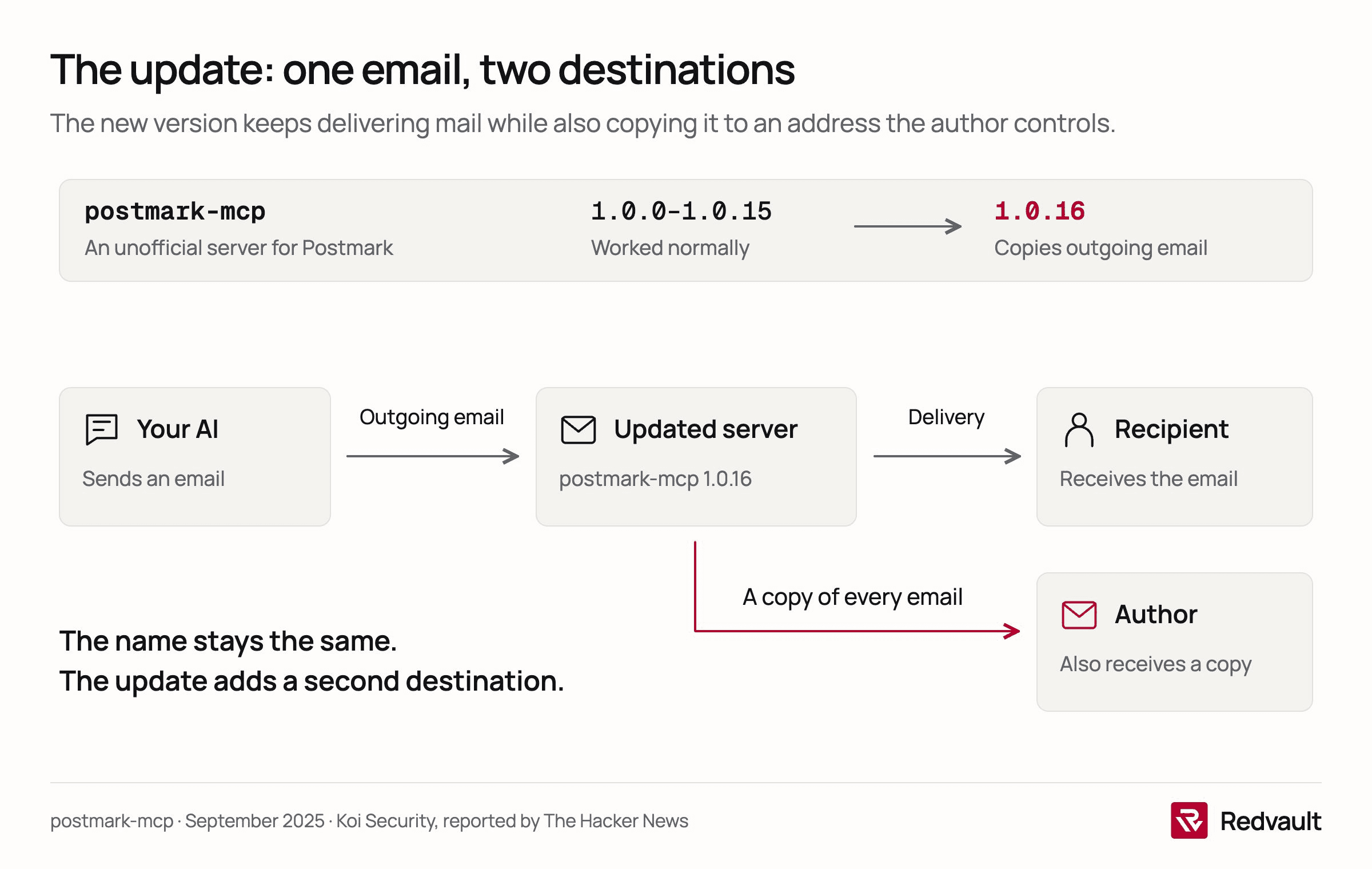
The update. In September 2025 Koi Security, a security vendor, found postmark-mcp, an unofficial copy of a server for the email service Postmark. It worked normally for its first versions. Then version 1.0.16 added one line that copied every outgoing email to an address the author controlled. It had been downloaded 1,643 times when it was found, and Postmark said it had nothing to do with it (The Hacker News). Anyone who'd checked the server on day one and set it to update itself had approved a different program from the one they were running.
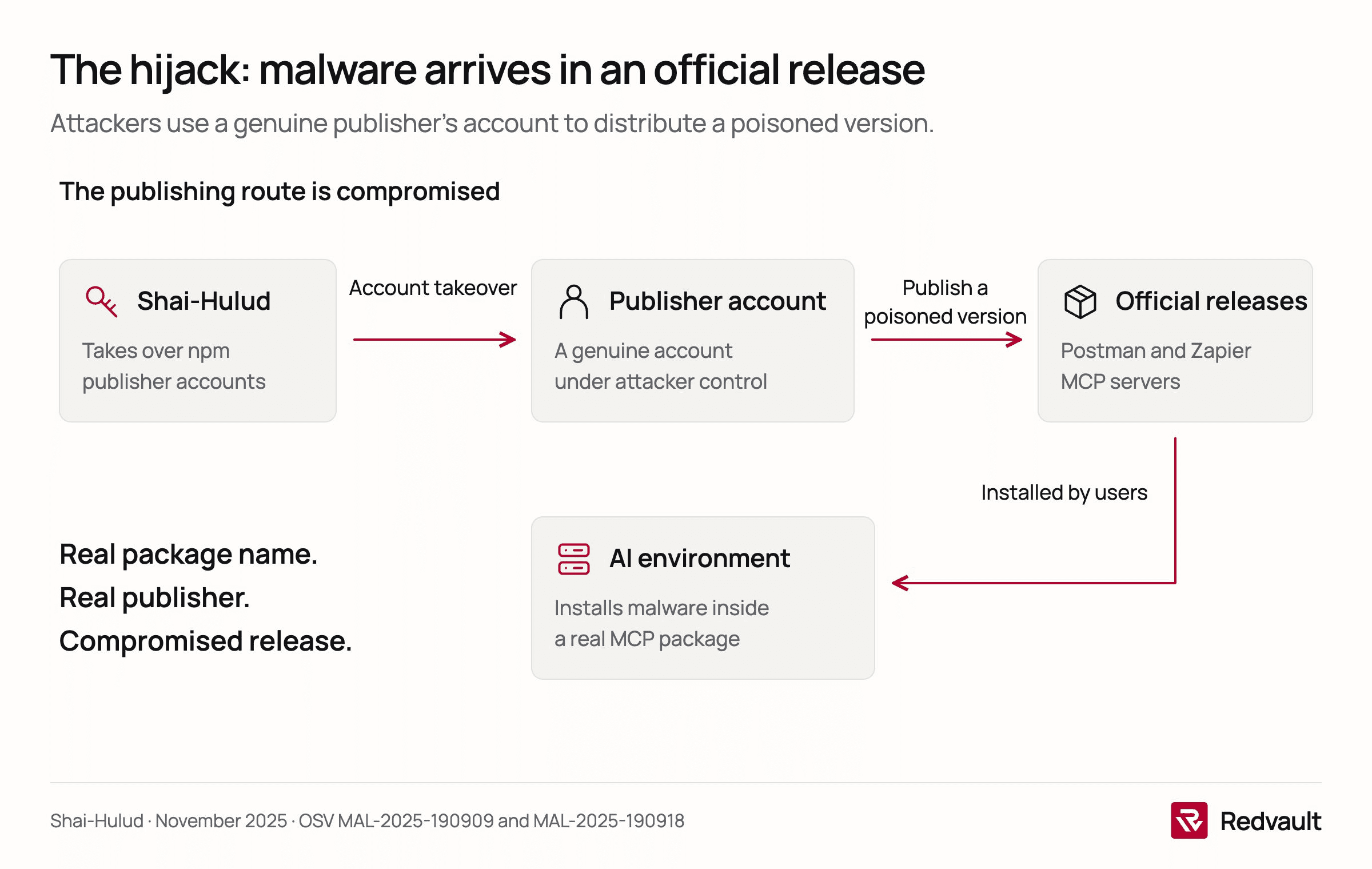
The hijacked original. In November 2025 a self-spreading piece of malware called Shai-Hulud took over npm accounts and pushed poisoned versions of real packages. Among them were the official MCP servers from Postman and Zapier (OSV, MAL-2025-190909; OSV, MAL-2025-190918). Nothing about the name or the publisher looked wrong, because they were the real thing.
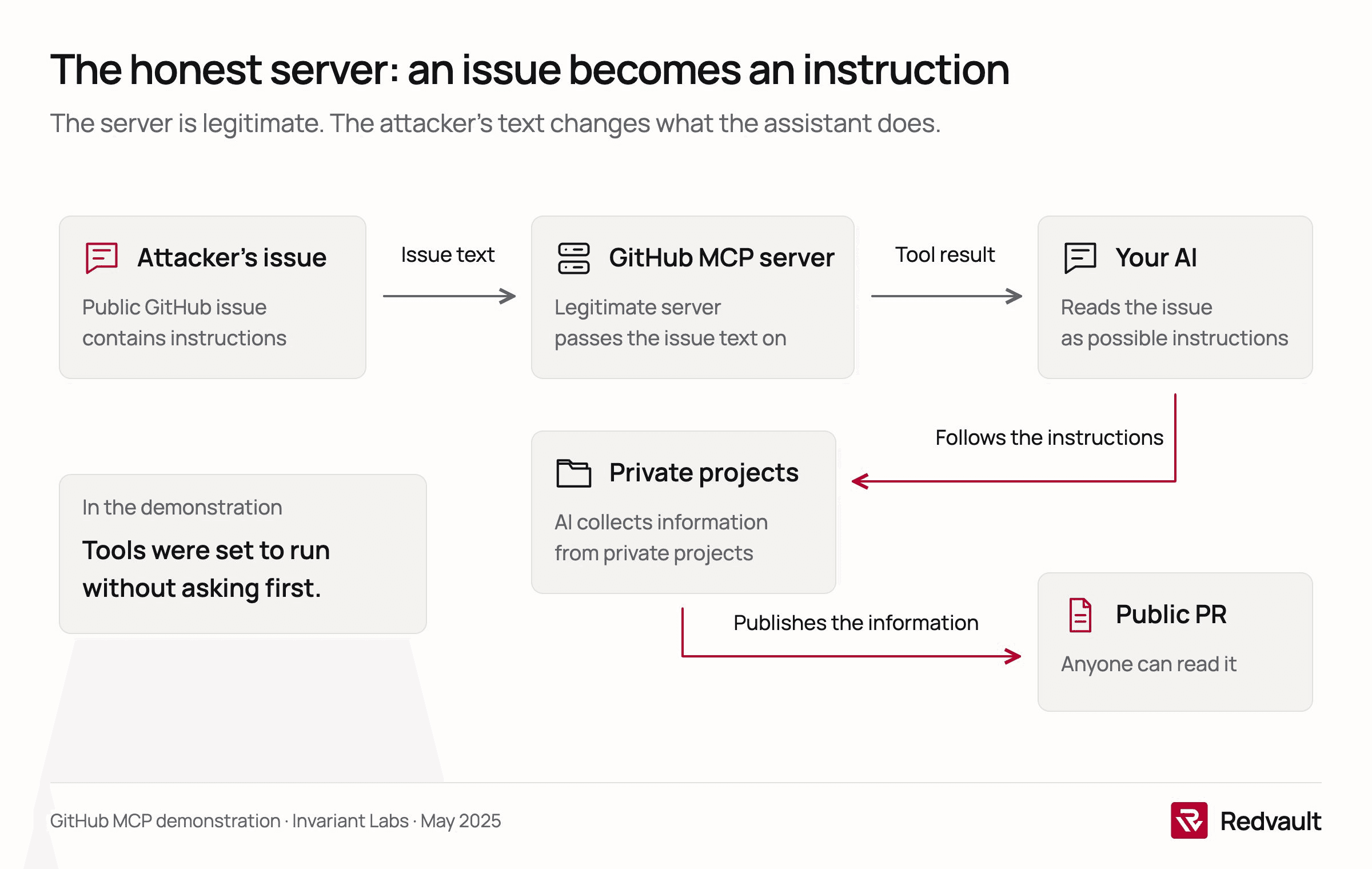
The honest server with someone else's text. In May 2025 Invariant Labs connected Claude to GitHub's own, legitimate MCP server and asked it to look at the open issues in a public project. One issue, written by an attacker, told the assistant to collect information from the user's private projects and publish it. It did, in a pull request anyone could read. The test relied on the user having set the tools to run without asking, and the researchers called it an architectural problem, not a bug GitHub could patch (Invariant Labs). Here the server was fine. The danger came through it, and we'd argue this is the hardest of the four to defend against.
Image 1 of 4
We counted them
The OpenSSF, an industry foundation for open-source security, keeps a public database of malicious packages that several scanners and researchers report into. We downloaded it on 22 October 2026 and looked for packages on npm and PyPI, the two places most MCP servers are published, whose name contains "mcp" or whose report describes them as an MCP server or tool.
We found 183 (our count of the OpenSSF data). Two were reported in 2024, 56 in 2025 and 123 so far in 2026. Over the same months, January to October, that's 24 in 2025 and 123 this year, about five times as many.
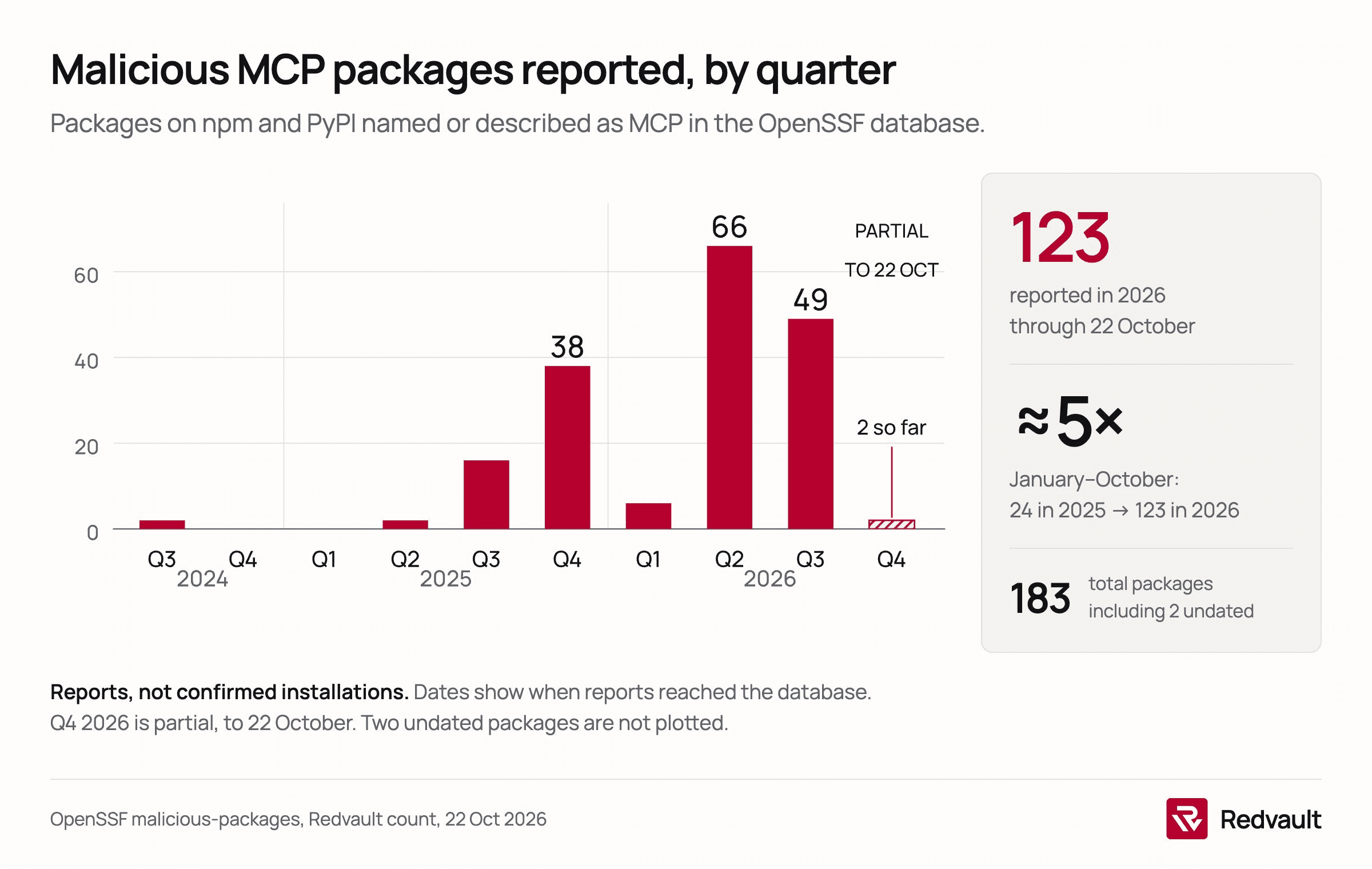
Some caveats about the count. The dates are when a report reached the database, not when the package went live. The count includes ten packages one publisher pushed out in two days in May, more than a dozen that look like security researchers testing, and real servers hijacked in the Shai-Hulud wave. And a package in the database isn't proof that anyone installed it. What we read in the trend is simpler. People who write malware have noticed MCP. They're putting more effort into it.
Effort is visible in the newest cases. On 12 October Elastic Security Labs, part of the security software company Elastic, described a fake start-up accelerator that targeted crypto founders with free AI credits. Its coding assistant added the attackers' own MCP server to the user's settings and "defaults tool approvals to yolo", meaning the assistant stopped asking before it acted (Elastic Security Labs).
Why companies are switching MCP off
At the large company where one of us has a day job, staff can't add MCP servers to their AI tools at all. We've heard the same from people at other firms. The vendors' own documentation explains why.
Anthropic's documentation for Claude Code says "anyone running Claude Code can connect any MCP server they choose" unless an administrator restricts it, and that Anthropic reviews the connectors listed in its directory but "doesn't security-audit or manage any MCP server" (Anthropic). We think that's a fair description of what a protocol owner can promise. It also means nobody has checked the server your colleague found on a forum.
The vendors have built the controls to match. On Claude's Team and Enterprise plans, members can't use a connector until an owner turns it on, they can ask for one through a request, and owners can limit a connector to reading data (Anthropic). GitHub lets administrators block MCP in Copilot or restrict developers to servers on an approved list (GitHub). Public bodies are writing rules too. Under guidance first issued in May 2026 and revised in September, staff of the US state of Maryland may not connect state systems to any MCP server "without prior review and approval", and servers installed without the IT department's knowledge are banned (Maryland DoIT). That rule covers Maryland's own staff and contractors, nobody else, but it's a useful model.
The defaults can move under you, though. From 22 October 2026, GitHub Copilot Business and Enterprise switch on generally available features that an administrator never set, and the "MCP servers in Copilot" policy is one of them (GitHub). If nobody at your company made that choice, GitHub made it for you.
Should you? Trust, but verify
We wouldn't ban MCP. It's how AI assistants become useful at work, and a blanket ban mostly pushes people to personal accounts where you can see nothing. We'd treat a new MCP server like any new software that gets access to company data.
- Off by default, on by request. Nobody adds a server on their own. They ask, someone checks it, and approved servers go on a list the tools enforce.
- Prefer the vendor's own server. A server published by the company that runs the service, such as GitHub's own server for GitHub, is the easiest to approve. An unofficial copy or a hobby project needs a real review first, and often the answer is no.
- Look at what it can do, not only what it's for. A server that reads a calendar is a smaller risk than one that can send email, move money or run commands. Where the tool allows it, approve read-only access first.
- Approve a version, not a name. Pin the version you checked. Review updates before they reach people, so a
postmark-mcpcan't change under you. - Watch what it does. Log which servers and tools people actually use, and look again when a server starts doing something new.
- Keep a human in the loop for anything that leaves the building. Sending, publishing, paying and deleting should always ask first. "Always allow" is the setting the GitHub demonstration relied on.
If you're the one installing it
You don't need to read code to stay out of most of the trouble above.
- Use the connectors your company has approved. If you need one that isn't on the list, ask for it.
- Install servers from the company that makes the product, not from a search result, a forum post or a link in a chat. Check the publisher's name, not just the package name.
- Be wary of anything that promises free AI credits, a faster assistant or a "memory" in exchange for access to your files.
- Read the approval box. If your assistant wants to send something, publish something or open files you didn't mention, stop and ask why.
- Don't switch on "always allow" for tools that can send, post or delete.
- If an assistant does something you didn't ask for after you added a new server, remove the server and tell IT.
Where we'd stop short
memtry-cli is one package, and the description of what it did comes from an automated report, not a court or a confession. Most MCP servers you'll meet are what they say they are, and the official ones from large vendors are the safest place to start. But the assistant still reads every server's words without showing them to you, and that won't change soon.
At Redvault we're building AgentShield, which shows security and IT teams which AI agents are running on their Macs, what files they reach and where they connect, including when two agents share one tool server or an assistant suddenly starts running commands. It's in development. Today it observes and classifies, and it doesn't block anything yet.