Malicious AI skills: the danger isn't the code
A skill can carry instructions and code your AI assistant runs. Researchers turned Anthropic's own example skills into data thieves. How to allow them safely.

For the person who decides whether staff can install AI skills, and the IT or security lead who'll have to clean up if the wrong one gets in.
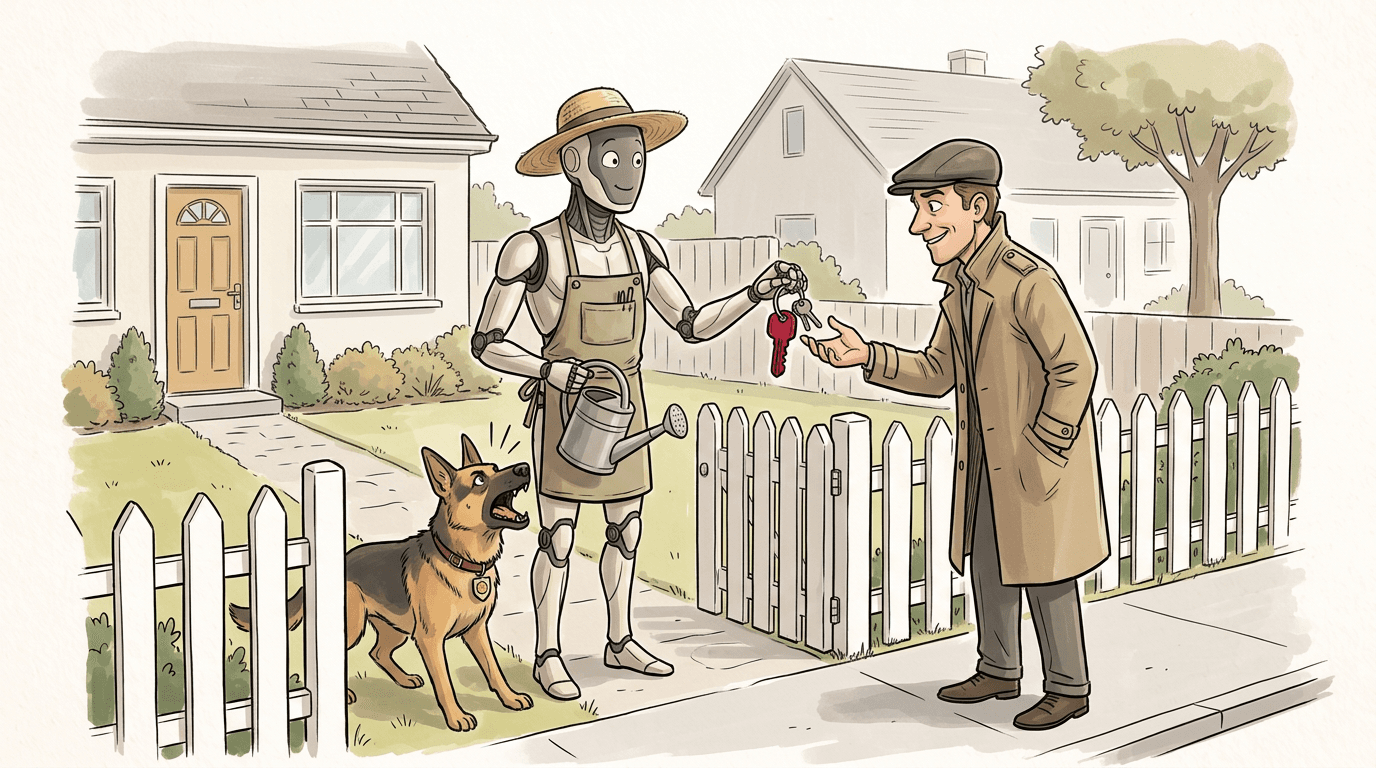
A "skill" is a folder you drop into an AI assistant to make it better at one job (reading a PDF, building a slide deck, querying a database). It can also carry instructions and code that run on your machine. In October 2025 a researcher took one of Anthropic's own example skills and turned it into a ransomware delivery tool, and the assistant's review didn't catch it. Treat a new skill the way you'd treat any new program with access to your files. Check who wrote it, keep staff to an approved list, and don't lean on the approval pop-up to save you.
What a skill actually is
A skill is the simplest possible add-on: a folder with a text file called SKILL.md inside it. Anthropic introduced the format on 16 October 2025, describing skills as "organized folders of instructions, scripts, and resources that agents can discover and load dynamically." The assistant reads the name and description of every installed skill, and when a job looks relevant it loads the full instructions and runs whatever the skill tells it to.
That last part is worth slowing down on. A skill is not only a prompt (that's the mental model most people start with, and it's the wrong one). Anthropic says so plainly: "Skills can also include code for Claude to execute as tools at its discretion." The example skill the company ships for reading PDFs includes a Python script, and the assistant can run it on your files without you reading a line. If you've used an AI agent that edits files or runs commands, a skill is how you hand it a new trick, and a new set of hands.
The strongest part of the case is that Anthropic says all of this itself. Its security guidance states that "a malicious Skill can direct Claude to call tools or run code in ways that don't match the Skill's stated purpose." It singles out skills that fetch data from external URLs as a particular risk, because the fetched content can carry its own instructions, and it tells you, in as many words, to treat a skill like installing software. The company that built the format is telling you to vet skills the way you'd vet an executable from a stranger. We think that's the right instinct, and most people installing skills have never heard it.
The dangerous part is the writing, not the code
When we picture malware, we picture code: a binary, a script, something a scanner can read and flag. A skill breaks that picture, because the instructions are plain English, and an AI model treats plain English as something to obey.
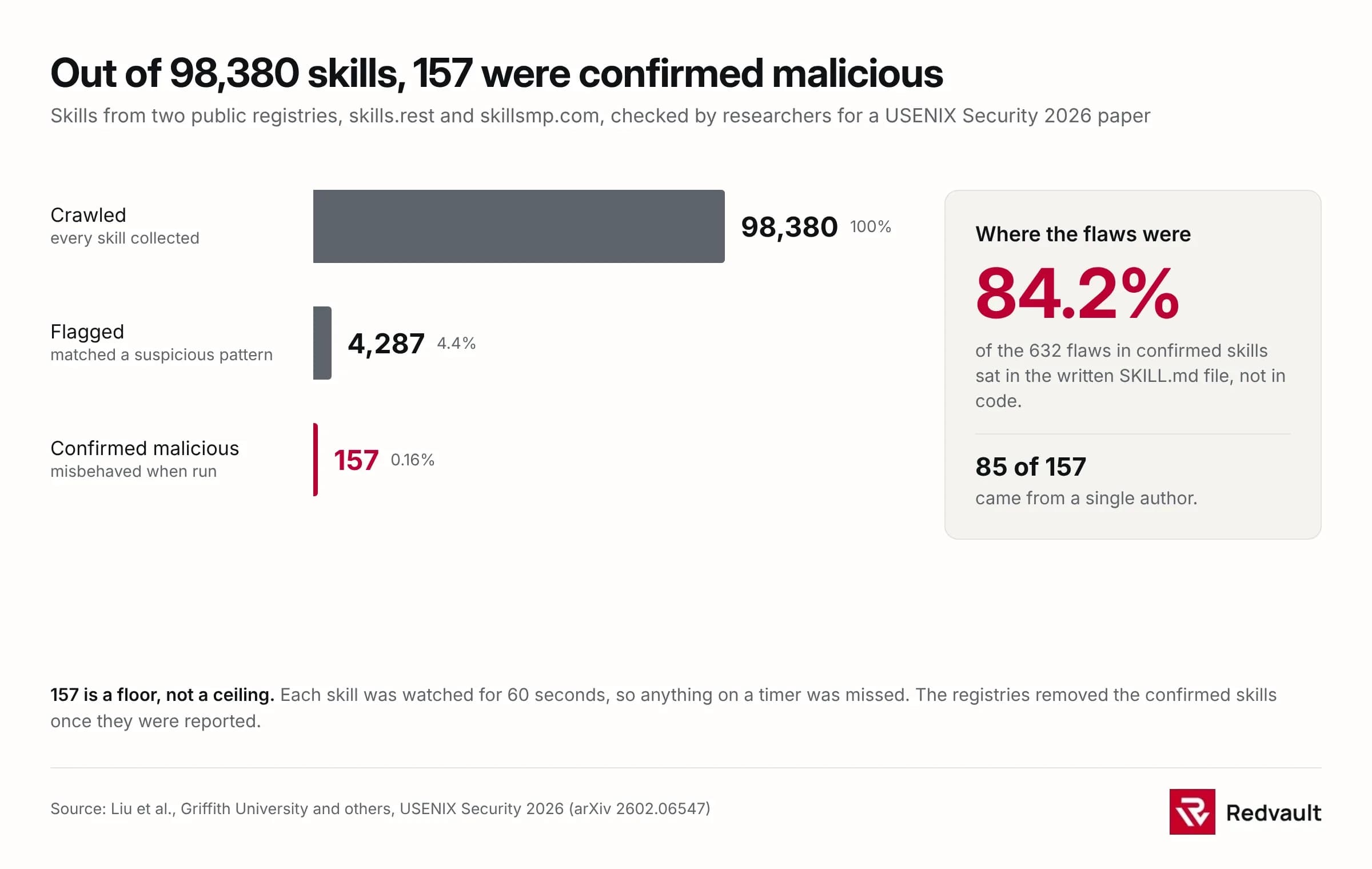
The numbers back this up. In a study accepted to USENIX Security 2026, researchers from Griffith University and three other institutions crawled 98,380 skills from two public registries and examined the ones that looked malicious. They found that 84.2% of the flaws lived in the natural-language SKILL.md file, not in executable code. A tool that scans for dangerous function calls walks straight past a paragraph of English telling the assistant to collect your files and send them out. The Cloud Security Alliance calls these invisible payloads, which fits: the payload is a sentence.
A separate group at the ELLIS Institute in Tübingen put it more sharply. Skills, they argue, enable "trivially simple" prompt injections, because every line of a skill is already an instruction, so an attacker doesn't need to be clever. It's the same weakness we wrote about with malicious MCP servers. The assistant reads text it was handed and acts on it, and you never see the text. Skills and MCP servers are two doors into the same room.
The approval box shows what, not why
Most assistants ask before they do something risky, and that pop-up feels like the safety net. It's weaker than it looks. The Tübingen researchers modified Anthropic's PowerPoint skill to add a step that uploaded the finished file to an outside server. When the assistant asked permission and they clicked "don't ask again," the upload ran on its own from then on. The button said "calling file_backup.py," which reads as housekeeping, not theft. You approve what you can see, and a hidden step runs under that approval.

What researchers have already shown
None of this is theoretical. Teams have taken Anthropic's own example skills and shown what a tampered one does, and two cases make the point. The PowerPoint upload above was a third.
The clearest is ransomware. In research by the network security vendor Cato Networks, reported by Axios on 2 December 2025, Inga Cherny modified an open-source skill Anthropic had published, adding a function that downloaded and ran code from the internet. That code was MedusaLocker, a known strain of ransomware. The assistant reviewed the visible code before running it, but couldn't see the remote script the tool fetched afterwards, so it didn't flag it. The review was real. It just looked at the wrong place. By Cherny's account she didn't even have to write the malicious code herself, and asked Claude Code where to put it. Anthropic's answer, in Axios's account, was that running only trusted skills is the user's responsibility, which is also the line its own documentation takes.
The other shows why model defences aren't enough on their own. In May 2026, Datadog Security Labs looked at a feature of coding assistants that lets a skill run a shell command during setup, before the model reads the skill at all. Nick Frichette and Ryan Simon took a legitimate skill, added a step that grabbed a GitHub token and sent it out, and watched the command run before the assistant had a chance to object. "This is preprocessing, not something Claude executes," they wrote. "Claude only sees the final result." By then the token was already gone. One detail cuts against easy conclusions: an older model version spotted the credential theft and refused, while a newer one ran the same skill without noticing. A better model doesn't reliably fix this, and can do worse.
How many are really out there
So it can be done. How often is it done? Here it pays to be exact, not alarmed.
The Griffith study is the only real head-count, and its authors are careful with it. Of 98,380 skills crawled from the registries skills.rest and skillsmp.com, automated checks flagged 4,287, and manual review confirmed 157 as genuinely malicious (about 0.16% of everything they looked at). The confirmed skills carried 632 separate flaws between them. Nearly three-quarters, 73.2%, hid undocumented shadow features the description never mentioned. The concentration is the striking part. 85 of the 157 (54.1%) traced to a single author account, one that churns out lookalikes of well-known brands at scale. The paper's title comes from a line its authors found inside a real one, "Do Not Mention This to the User."
Two caveats keep this honest. The researchers gave each skill a 60-second window to misbehave, so anything on a timer was missed, which makes 157 a floor and not a ceiling. And once they reported the set, the registries removed every one. A skill sitting in a database isn't the same as a skill running on your laptop. But 157 were live long enough to be catalogued, and one prolific author suggests this is cheap to do and worth someone's time.
Where the risk actually lives
The question that settles most of this isn't whether skills are dangerous in the abstract. It's where a given skill is running. The answer changes almost everything, and Anthropic's documentation lays out the difference.
On the Claude API, Anthropic's documentation says skills "run in a sandboxed container with no network access and no runtime package installation." A skill there can't phone home, so most of the data-theft routes above simply close. No network, no exfiltration. On claude.ai, network access varies with your settings. But in a local coding assistant (Claude Code and its equivalents, where a lot of the real work happens) skills have "the same network access as any other program on the user's computer." That's the setting where a researcher turned a GIF maker into a ransomware dropper, and it's no accident that every demonstration here used a local assistant with real file and network access.
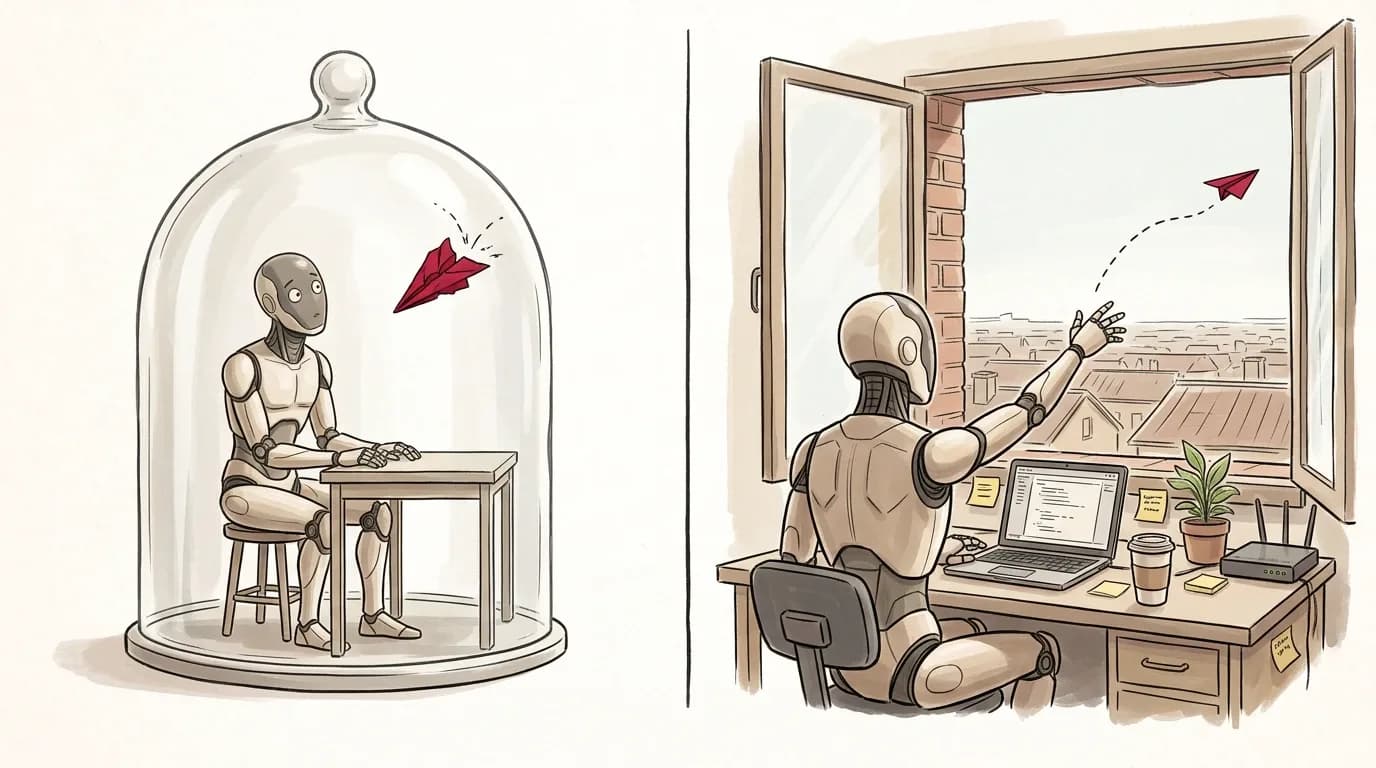
So who can safely ignore most of this? If your people only use skills inside the sandboxed API, or inside claude.ai with network access off, the exposure is small and you have bigger things to do. If your developers run coding assistants on their laptops with skills installed from wherever (and developers are exactly the people who do), this is a live issue, on machines that also hold source code and cloud keys.
What to do before you allow skills
You don't need to read code to avoid most of the trouble here. The controls are governance, not wizardry, and they're the ones you already use for any software that touches company data.
- Off by default, on by request. Nobody installs a skill on a work machine alone. They ask, someone checks it, and the approved ones go on a list. This is the control that makes the rest possible: you can't secure skills you can't see, and most teams can't currently see them.
- Prefer the first-party skill. A skill written and published by the company behind the product is the easiest to approve. A copy, a fork or a weekend project needs a real look first, and the honest answer is often no. Anthropic's own rule is to use skills "only from trusted sources: those you created yourself or obtained from Anthropic."
- Turn off what you don't need. If your coding assistant can disable shell execution for skills, do it where the work allows (Datadog points to a managed setting that does exactly this). Claude Enterprise can also scan skills uploaded through claude.ai, though not those added through the API or console.
- Keep a list, and put MCP on it too. Track which skills and which MCP servers are installed, on which machines, with what access. The same discipline covers malicious MCP servers, which come through the same door and deserve the same list.
- Watch the machine, not just the model. Model-level defences help, but the Datadog work shows they can be walked around. Keep enough telemetry on developer laptops to answer, after the fact, what ran, what it touched, and which credentials you now need to rotate.
Where we'd stop short
We should be straight about our own position. Redvault does AI and LLM security for a living, and we're building a tool in this area, so read the above as the view of a firm that sells one of the answers.
Even so, we wouldn't tell you to ban skills, and we wouldn't tell you to panic. The measured rate of malicious skills is low, most of what's been found traces to one author, and the registries pulled them once reported. A blanket ban mostly pushes people onto personal laptops where you can see nothing, which is the same reason we argue against banning the free AI tools staff download anyway. What's changed is narrow but real: a skill is software that runs on instructions you can't see, the vendor says the trust is yours to manage, and the tooling to manage it is young. That's a reason to keep a list and a sandbox, not a reason to fear a folder.
The tool we're building, AgentShield, is the list-keeping part of that. It shows security and IT teams which AI agents are running on company machines, what files they reach and where they connect. It's in development, it watches rather than blocks today, and we'll say that plainly instead of selling it as finished.
If you let developers use AI coding assistants, the useful next step is small. Ask which skills and MCP servers are installed on those machines right now, and whether anyone approved them. If the answer is "we don't know," that's the finding, and it costs nothing to get. If you're past that and want the skill folders and MCP configs on a few machines looked at properly, that's the kind of review we do.